XYZ Service
The XYZ service is a FastCGI process that runs under the http server and delivers map content as PNG and JPEG files.
OSM Map Tile Service (XYZ)
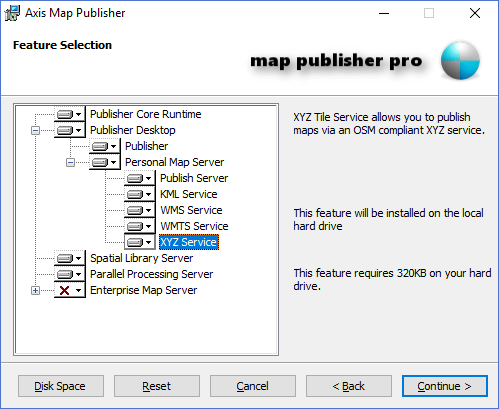
The XYZ Service is a FastCGI service named" axis-xyz.exe " and is located in the default Cgi-Bin directory post install. The XYZ Service produces PNG and JPEG files for each map that is published using the Map Publisher Desktop application. The XYZ Service is installed as part of the Personal Map Server in the installer package as shown in the screenshot below:
OSM Map Tile Service (XYZ) Usage
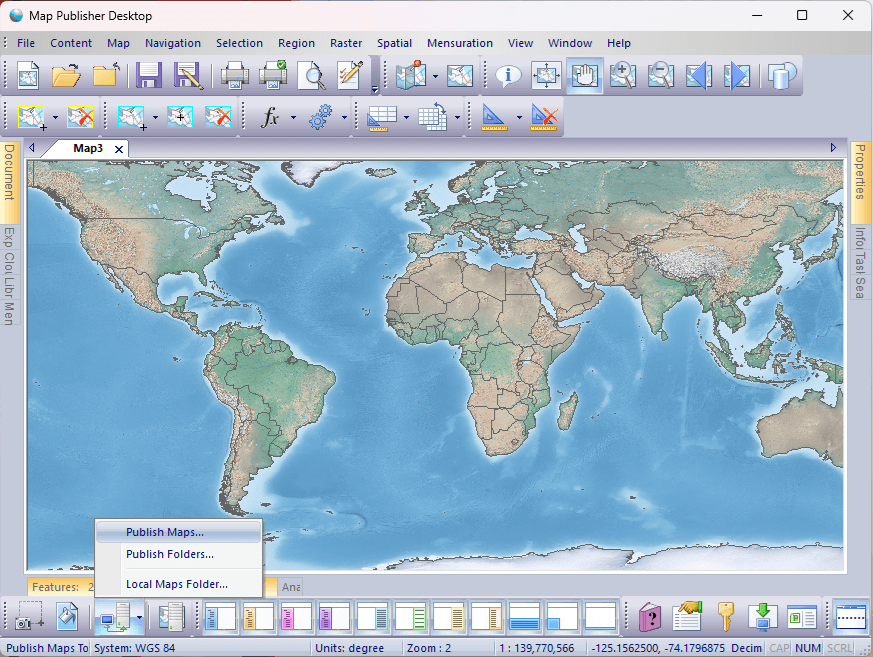
Author and publish a map to the Personal Map Server using the Map Publisher Desktop application.
Launch Personal Map Server and make sure it is running.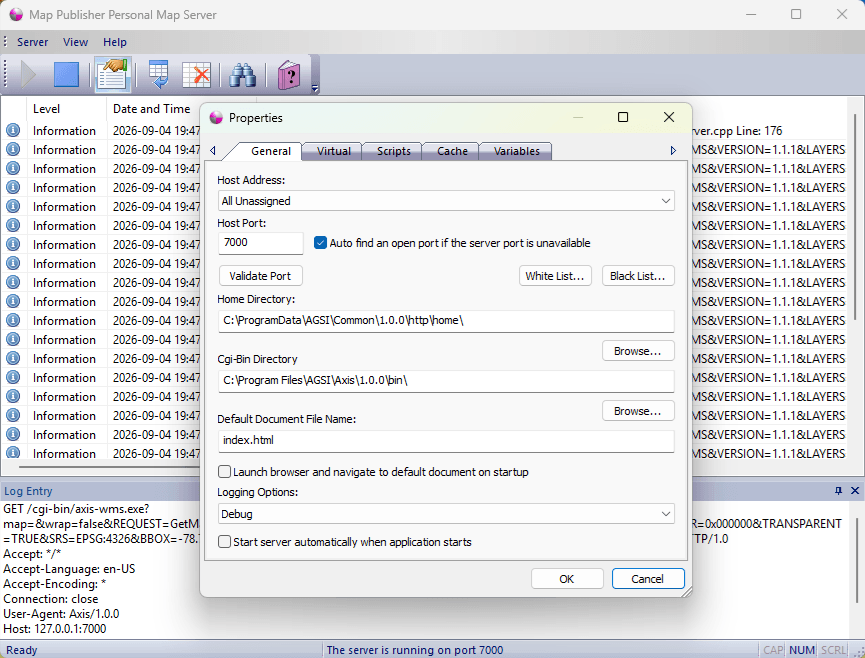
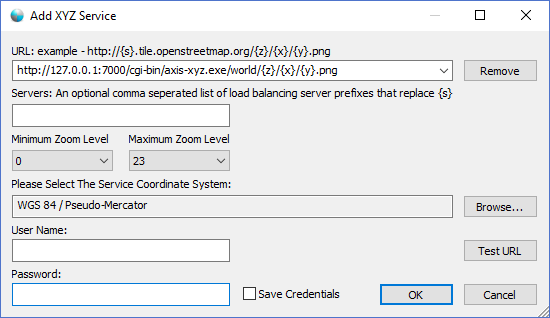
To add a map to an XYZ compliant Desktop application use the url pattern "http://HOST ADDRESS]:[HOST PORT]/cgi-bin/axis-xyz.exe?map=[MAP TITLE]& " in the desktop add XYZ connection dialog. The parameter "[MAP TITLE]" at the begining is an extended feature of the XYZ service that allows users to specify the Title of the map file they wish to use. If you leave that parameter blank the server will first look for a file named default.axis and return that map, otherwise it will return the map with a title that is first in an alphabetical list.
Launch the XYZ Service Layers connection dialog from Map Publisher Desktop.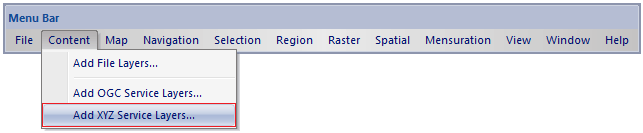
Connect to the local instance of Personal Map Server's XYZ service and add it as a layer to the active map window.
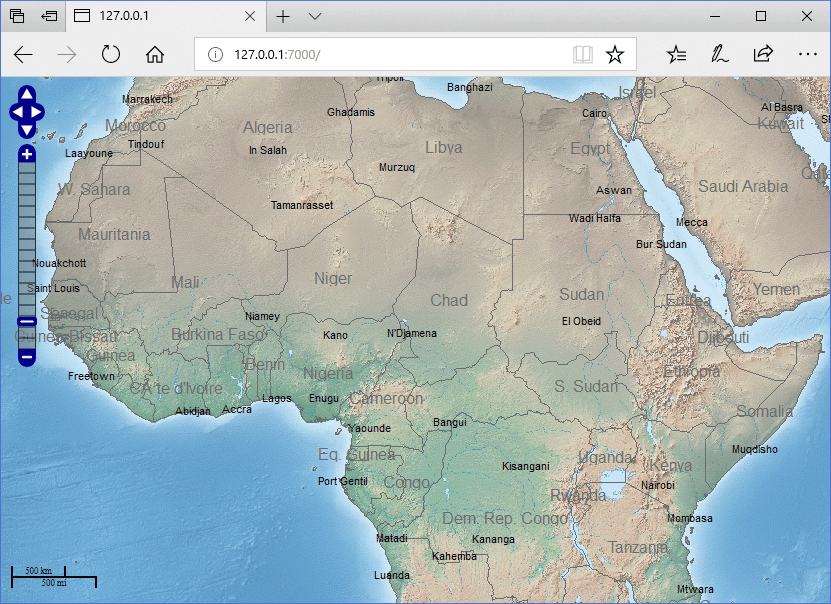
The screenshot below shows a Natural Earth dataset published using the Personal Map Server XYZ service and rendered with an OpenLayers browser application.
To learn more about authoring and publishing maps to Personal Map Server using Map Publisher Desktop please refer to the help guide included with Map Publisher Professional.
Documentation is published by LCIC with the Axis release and imported here in full. Screenshots and wording are the vendor's own.