Events Page
The task details events page dialog window allows the user to view task event messages.
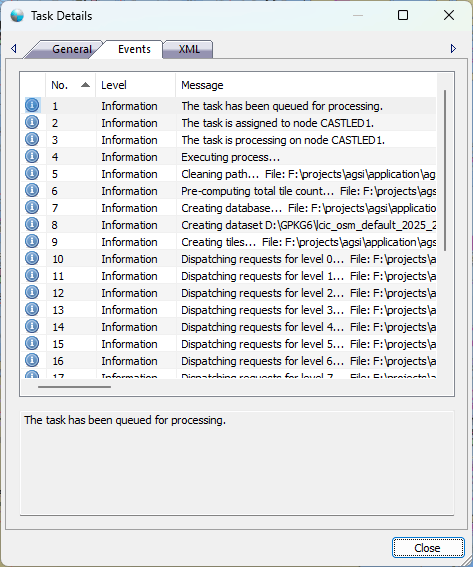
The dialog controls are:
- Icon

An icon that represents the level of the log entry to compliment the Level column text description. - Level
A text description that represents the level of the log entry to compliment the Icon column. There are three possible Level description text messages matching the three possible icons. The three log levels are:
- Error
Log entries that are generated by the services that the user or system administrator should be concerned about and may mean the system is not working properly. - Information
Log entries that are generated by the services that are informational to the user or system administrator and are a normal part of the operation. - Warning
Log entries that are generated by the services that the user or system administrator should be advised of but may or maynot prevent the system from working properly.
- Error
- Message
A system generated message that describes what occurred during the task process. - Close
Closes the dialog window.
Documentation is published by LCIC with the Axis release and imported here in full. Screenshots and wording are the vendor's own.