Create Catalog Dialog
The library create catalog dialog window allows the user to create a catalog of geospatial metadata for a given library.
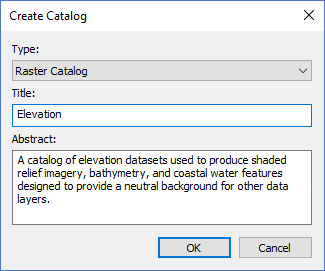
The dialog controls are:
- Type
A drop down list box that defines the type of geospatial metadata stored in the catalog and defines the table schema for metadata captured from the source files. - Title
The title of the catalog that will used to display the catalog in the Library Pane Tree Control and other windows. - Abstract
A brief description of the catalog purpose. This value is used to inform users what this catalog is used for and what type of data resides in the catalog datasets. - OK
When this button is clicked the dialog creates an empty catalog in the library that was selected when the dialog was displayed. - Cancel
Closes the dialog window.
Documentation is published by LCIC with the Axis release and imported here in full. Screenshots and wording are the vendor's own.