Coordinate System New Dialog
The map new coordinate system dialog window allows the user to create a new spatial reference system.
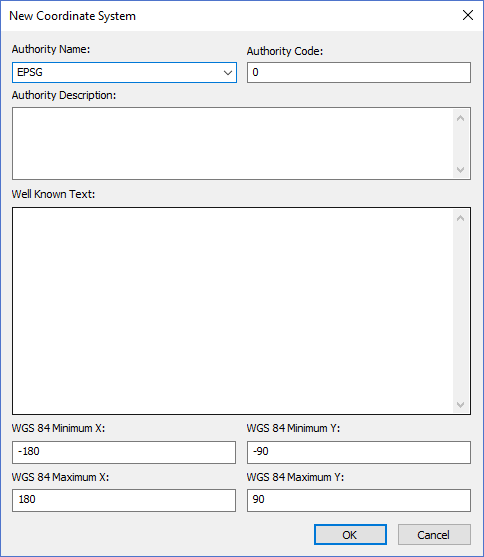
The dialog controls are:
- Authority Name
A text box that specifies the standards body that has defined the coordinate system. - Authority Code
A text box that specifies the standards body numeric code for this specific spatial reference system. - Authority Description
A brief description of the spatial reference being defined. - WGS 84 Minimum X
The valid minimum X value of the coordinate system in decimal degrees for the WGS 84 coordinate system. - WGS 84 Minimum Y
The valid minimum Y value of the coordinate system in decimal degrees for the WGS 84 coordinate system. - WGS 84 Maximum X
The valid maximum X value of the coordinate system in decimal degrees for the WGS 84 coordinate system. - WGS 84 Maximum Y
The valid maximum Y value of the coordinate system in decimal degrees for the WGS 84 coordinate system. - OK
When this button is clicked the dialog creates a new coordinate system definition in the spatial reference database. - Cancel
Closes the dialog window.
Documentation is published by LCIC with the Axis release and imported here in full. Screenshots and wording are the vendor's own.