Map Network Drive Dialog
The explorer map network drive dialog window allows the user to map a network folder in the Windows Shell so it is available in the Explorer Pane Tree Control.
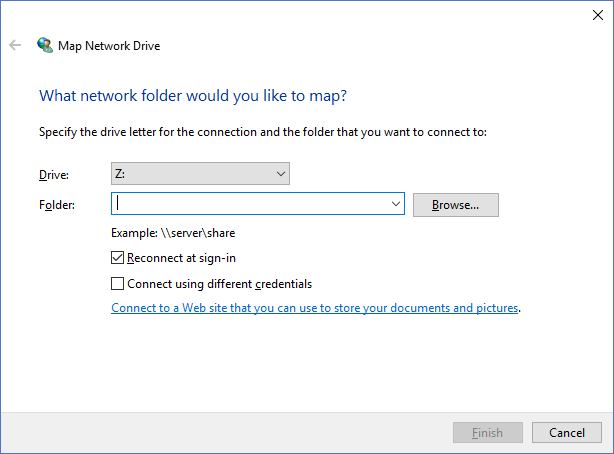
The dialog controls are:
- Drive
The drive letter that should be used for the network folder being mapped. - Folder
The network folder path to be mapped. - Browse
When clicked a folder browse dialog window will be displayed where the user can select the network folder that is to be mapped. - Reconnect at sign-in
When this option is selected Windows will attempt to automatically reconnect the mapped network drive whenever the user signs into the computer. - Connect using different credentials
When this option is selected Windows will display an account logon dialog window allowing the user to specify alternative credentials for accessing the network folder specified in the Folder text box. - Finish
When clicked the dialog will attempt to map the network drive specified in the Folder text box to the letter specified in the Drive drop down list box. If successfull the dialog window will be closed and the Explorer Pane Tree Control will refresh to show the newly mapped drive. - Cancel
Cancels the operation and closes the dialog window.
Documentation is published by LCIC with the Axis release and imported here in full. Screenshots and wording are the vendor's own.