Auxiliary Page
The advanced raster options auxiliary page dialog window allows the user to create auxiliary side-car files that can help applications process and render the output file faster and with better quality.
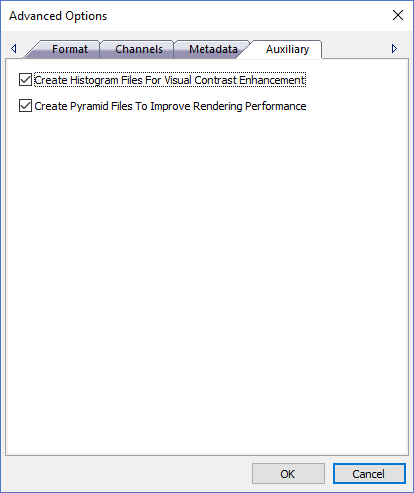
The dialog controls are:
- Create Histogram Files For Visual Contrast Enhancement
Select this option to create an auxiliary side-car histogram file for the output file that has the same name as the image file but with a .histogram extension. Histograms numerically describe the color distribution of the pixels throughout the image for the color range defined by the pixel data type. Histograms are used to visually enhance the imagery by contrasting similar colors so they stand out more in the image. This is useful when an image is "hazy" looking or contains a lot of similar colors through out the image that all kind of blend together. Use the Create Histograms Dialog instead to have more control over the histogram creation process. - Create Pyramid Files To Help Improve Rendering Performance
Select this option to create an auxiliary side-car pyramid file for the output file that has the same name as the image file but with a .ovr extension. Pyramids are reduced resolution images that are a stack of progressively smaller images that are used in place of the image file when panning and zooming a viewer and greatly improves rendering performance. Use the Create Pyramids Dialog instead to have more control over the pyramid creation process. - OK
When this button is clicked all properties on the dialog pages are saved and the dialog window is closed. - Cancel
Closes the dialog window.
Documentation is published by LCIC with the Axis release and imported here in full. Screenshots and wording are the vendor's own.