Overview
Personal Map Server Desktop is a management application that allows you to control and manage the Personal Map Server application. The application is a simple GUI application that is installed with every instance of Personal Map Server. You can access it from one of the links that were installed on your desktop, start menu, Program Files folder or from the Map Publisher Desktop application. Use the Desktop application to stop, start, configure service properties and review event log entries. Use the Personal Map Server to disseminate maps and data on the Intranet / Internet via HTTP and HTML. Visit the Desktop Control links below for more information.
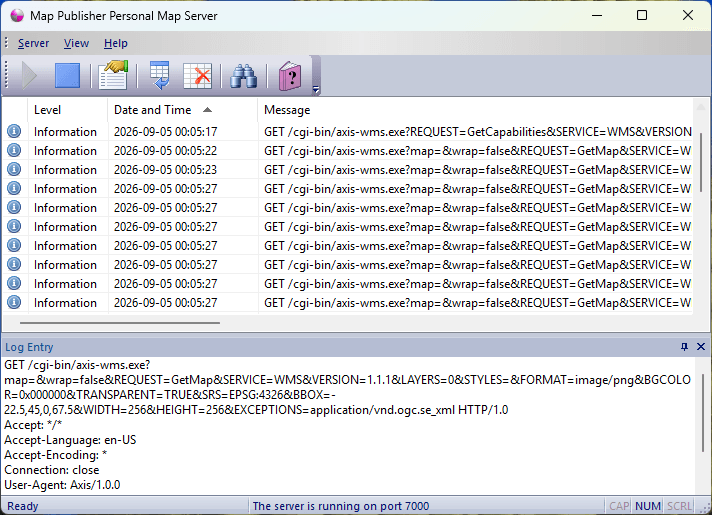
Desktop Window
The screenshot below shows the Map Server Desktop Application Window:
Desktop Restrictions
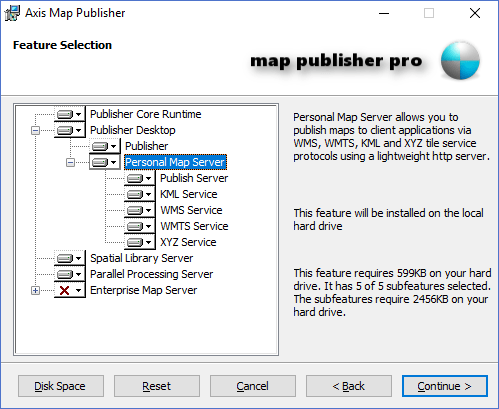
The Personal Map Server Desktop GUI application and the Personal Map Server Http Service are contained within the same executable file and therefore the Map Services will shutdown when the application window shuts down. This is the intended use because it is a personal server that is light weight. This means you cannot logoff your machine if you want the Map Server to continue running. Users that require a Map Server that will run even when all users are logged off the computer should deploy the Enterprise Map Server component that is part of the Map Publisher Professional installer package. The "Enterprise Map Server" option is typically disabled by default when installing Map Publisher Desktop as shown in the screenshot below:
The Enterprise Map Server component runs under Microsoft IIS Server which is a robust http server and has many features that go beyond the scope of the Personal Map Server.
Documentation is published by LCIC with the Axis release and imported here in full. Screenshots and wording are the vendor's own.