Map Document
A map document is a file that contains information for a single map. Map properties such as styling information, coordinate system information, title, description, layer paths, etc. are stored in the file. Map documents can be created and modified using the Main Menu, Map Menu or Document Toolbar . Map documents can be saved between Map Publisher Desktop sessions and deployed to Personal and Enterprise Map Servers so other map users on your Intranet / Internet can access them in a read only mode.
Map documents are visualized using Map View windows and have a one to one relationship with a Map View. When a user opens a Map Document for editing, viewing or publishing, a Map View window is automatically created and displayed as a child window of the main application window. When the Map View window is closed the underlying Map Document file is closed as well. If multiple Map View windows are open all Menu, Toolbar and docking window Panes are associated with the active Map View window. The active Map View window is the Map View window that is currently selected.
Users can add, remove, style, group and sort map document layers using the Menu, Toolbar and Pane controls contained in the application. Users can view information about the map document layer datasets using the Features Pane, Information Pane and Properties Pane.
Map Documents can be printed or exported as an image file and have a .axis file extension.
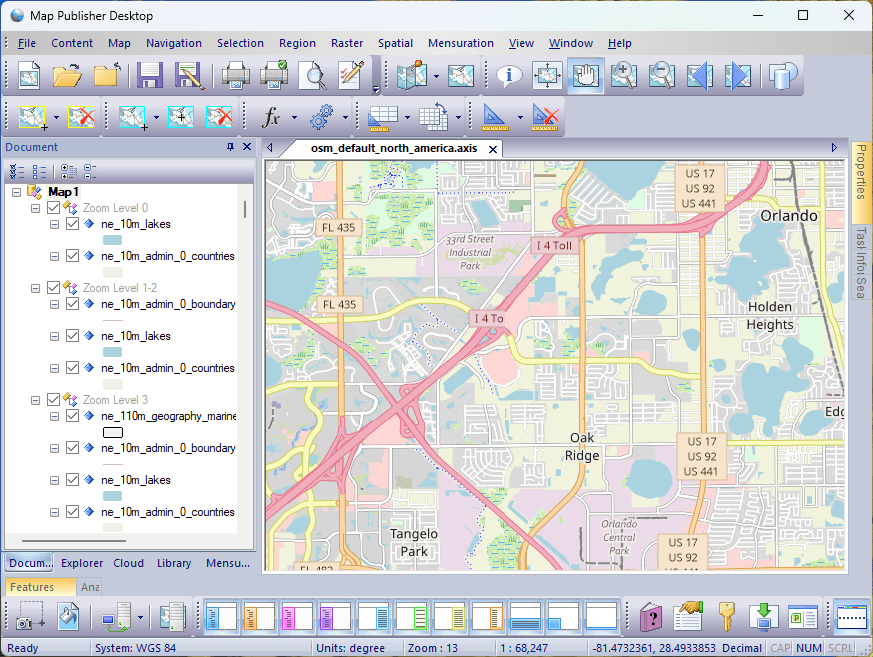
Map Publisher Desktop users author maps like the OpenStreetMap (OSM) map shown below using the desktop application and then publish the content via industry standard protocols and formats so other map users on your Intranet / Internet can access it. Maps can have thousands of layers like the map shown below and then styled using easy to use property sheets and dialog controls. What you see in the Map View is what you get when you publish using the Axis Web Map Services and open source file formats like OGC GeoPackage and more.
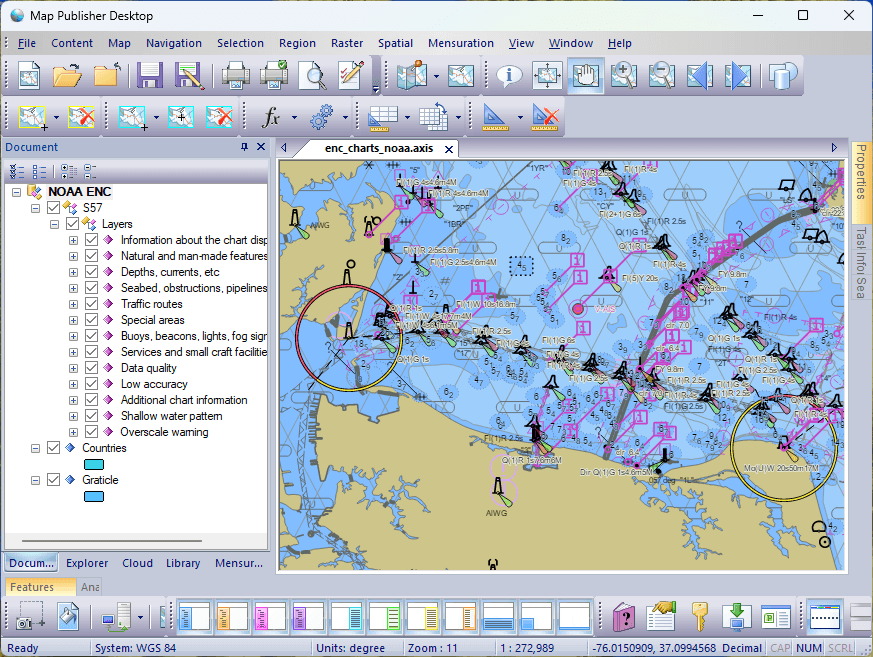
Users can also pull in remote map services such as NOAA's online Electronic Navigational Charts (ENC) using the OGC WMS connection dialog and scrape map data into GeoPackage files for offline viewing:
To get started using Map Publisher Desktop and determine what use-case scenario is best for you read the Desktop, Server and How To sections of this help guide. Additional information about the auxilary server components can be found in the help guides that come with those applications.
Map documents are visualized using Map View windows and have a one to one relationship with a Map View. When a user opens a Map Document for editing, viewing or publishing, a Map View window is automatically created and displayed as a child window of the main application window. When the Map View window is closed the underlying Map Document file is closed as well. If multiple Map View windows are open all Menu, Toolbar and docking window Panes are associated with the active Map View window. The active Map View window is the Map View window that is currently selected.
Users can add, remove, style, group and sort map document layers using the Menu, Toolbar and Pane controls contained in the application. Users can view information about the map document layer datasets using the Features Pane, Information Pane and Properties Pane.
Map Documents can be printed or exported as an image file and have a .axis file extension.
Map Publisher Desktop users author maps like the OpenStreetMap (OSM) map shown below using the desktop application and then publish the content via industry standard protocols and formats so other map users on your Intranet / Internet can access it. Maps can have thousands of layers like the map shown below and then styled using easy to use property sheets and dialog controls. What you see in the Map View is what you get when you publish using the Axis Web Map Services and open source file formats like OGC GeoPackage and more.
Users can also pull in remote map services such as NOAA's online Electronic Navigational Charts (ENC) using the OGC WMS connection dialog and scrape map data into GeoPackage files for offline viewing:
To get started using Map Publisher Desktop and determine what use-case scenario is best for you read the Desktop, Server and How To sections of this help guide. Additional information about the auxilary server components can be found in the help guides that come with those applications.
Documentation is published by LCIC with the Axis release and imported here in full. Screenshots and wording are the vendor's own.