Servers Page
The publish folders servers page dialog window allows the user to add one or more Map Servers to publish the virtual directories to.
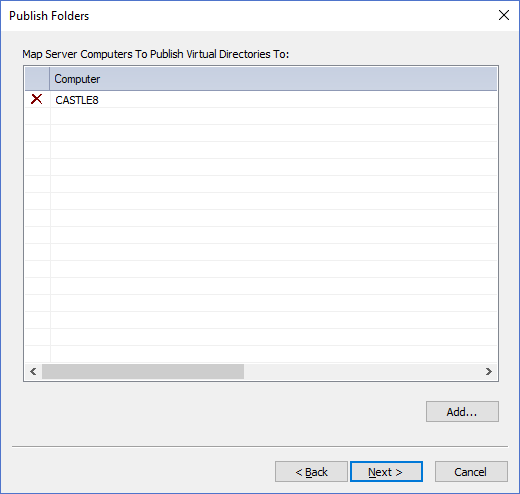
The dialog controls are:
- Map Server Computers To Publish Virtual Directories To
A list of map server computers to publish the virtual directories to. Use the Add button to add map server computer names to the list. Click on the X icon in the left most column of the list to remove items from list. - Add
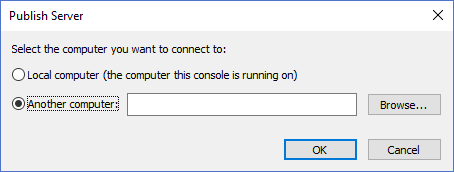
When this button is clicked the Publish Server dialog window (shown below) is displayed where users can enter a computer name to be added to the list.
- Back
Moves to the previous page in the publishing wizard. - Next
Validates the list contents and moves to the next page in the publishing wizard. - Cancel
Closes the Publish Folders Dialog.
Documentation is published by LCIC with the Axis release and imported here in full. Screenshots and wording are the vendor's own.