Log Entry List
Desktop Log Entry List
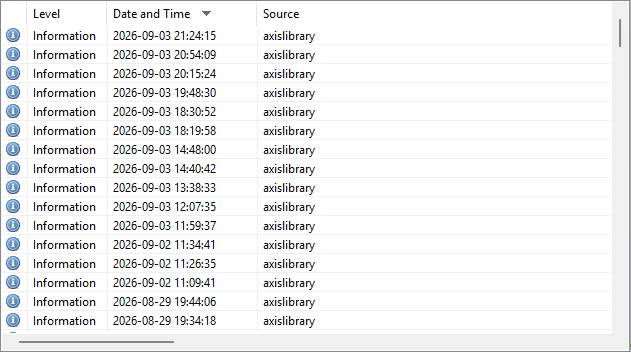
Log entries are generated by the Library Service in the Windows Event Log under the "Applications and Services Logs" section in a log called "AxisParallelServer ". The Desktop Log Entry List control shows the log entries from this log only. The list can be sorted either ascending or descending per column by clicking on the column header. There are four columns in the list and they are as follows:
The four column names from left to right are:
- Icon

An icon that represents the level of the log entry to compliment the Level column text description. - Level
A text description that represents the level of the log entry to compliment the Icon column. There are three possible Level description text messages matching the three possible icons. The three log levels are:
- Error
Log entries that are generated by the service that the user or system administrator should be concerned about and may mean the system is not working properly. - Information
Log entries that are generated by the service that are informational to the user or system administrator and are a normal part of the operation. - Warning
Log entries that are generated by the service that the user or system administrator should be advised of but may or maynot prevent the system from working properly.
- Error
- Date and Time
The local system date and time the service generated the log entry in the form of YYYY-MM-DD HH:MM:SS. - Source
A short text description of the Windows Service that generated the log entry. The one possible description is "axislibrary " for the Library Service.
Desktop Log Entry List Actions
Using the Find Dialog window from the Menu or Toolbar control you can search for log entries that match text patterns, export log entries to a comma delimited text file and delete log entries from the Log Entry List . For more information please see Menu or Toolbar.
Documentation is published by LCIC with the Axis release and imported here in full. Screenshots and wording are the vendor's own.