Deploy a Personal Library
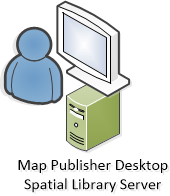
Deploying Spatial Library Server as a personal library is straight forward and simple because all application services are on the same machine and don't require any post installation configuration. This how to documentation assumes the user wants to install Map Publisher Desktop on a single computer and does not want to install Spatial Library Server on another machine.
Download the installer package (MSI) for Map Publisher Professional from https://lcic.xyz/ if you don;t already have it. The installer package for 64 bit computers it is named axis-pro-map-publisher-100-x64.msi .
Step 1
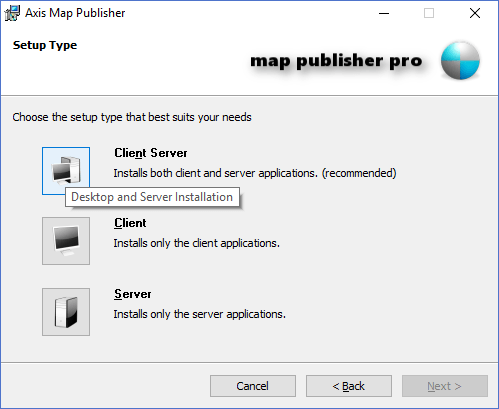
Run the installer package and select the "Client Server" option in the " Setup Type " wizard page as shown below. This option selects the most commonly used application components for single computer use.
Step 2
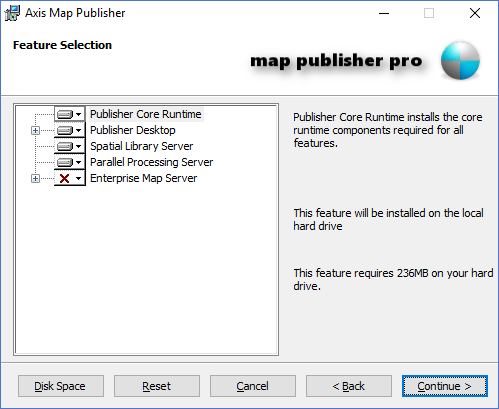
Keep the default selection on the " Feature Selection" page as shown below. Only select the " Enterprise Map Server " if you want to publish maps using Microsoft IIS Server from your machine. Publisher Desktop comes standard with a Personal Map Server that can also publish maps on the web but is more lightweight than installing IIS. To learn more about Publisher Desktop and Personal Map Server please refer to the documentation that comes with Publisher Desktop and Personal Map Server.
Step 3
Finish the installation. After installation you can run Map Publisher Desktop and import data into the Spatial Library Server start utilizing it without further configuration. For more information on how to utilize the Spatial Library Server using Map Publisher Professional please see Importing and Viewing Data .
Documentation is published by LCIC with the Axis release and imported here in full. Screenshots and wording are the vendor's own.