Introduction
Welcome to the help library for the Parallel Processing Server system for map authors and system administrators. Parallel Processing Server allows you to distribute tasks across many computers in order to create map products faster. This help system focuses primarily on using Parallel Processing Server configuration and management.
If you're new to Map Publisher Professional and Parallel Processing Server, you can start learning about the system now by reading the topics in the Application Overview.
Using this Help
There are a number of ways to explore the information contained in this User Guide, depending on where you are and what you are looking for. The four major areas are:
- Application Overview
Start here if you want to learn about what the product does and what features it contains. - Desktop Application
Read here if you want to know how to use the desktop product or to find out what a dialog, control or menu does. - Server Application
Read here if you want to learn about the server components and how to manage or configure them. - How To
Read here if you want to learn how to configure and deploy the services on a single computer or multiple computers or how to submit tasks to the Parallel Server.
Licensing
Parallel Processing Server is feature of Map Publisher and requires one license per installation.
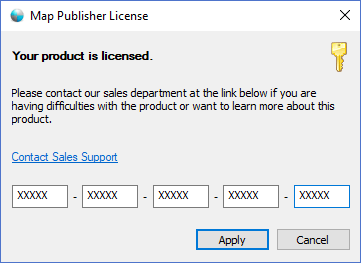
- You can purchase Map Publisher Professional on our Web Site:
https://lcic.xyz/software/purchase - Read more about licensing Map Publisher Professional:
- https://lcic.xyz/software/purchase
Contact Information
- Map Publisher Professional Website
https://lcic.xyz/products/software/map-publisher-desktop - Support Forums
https://www.lcic.xyz/products/axis/forums - Support Email
support@lcic.xyz
Documentation is published by LCIC with the Axis release and imported here in full. Screenshots and wording are the vendor's own.