Log Entry Docking Window
Desktop Log Entry Docking Window
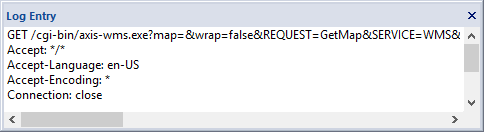
Log entry messages are displayed in the Log Entry Docking Window when a row in the Log Entry List is selected by either a left mouse click or the up and down arrows on the keyboard. When the Log Entry List is exported using the Menu or Toolbar commands the Log Entry message text is included in the Log Entry row.
Desktop Log Entry Docking Window Actions
The Log Entry Docking Window is a detachable window that can be turned on or off, float, or attach to any side of the main application window. It can also fade away as a tab and fade back on mouse over of the tab. Use the View->Toolbars and Docking Windows Menu option to show or hide the Log Entry Docking Window.
Documentation is published by LCIC with the Axis release and imported here in full. Screenshots and wording are the vendor's own.